404 FX HeatFlowNew
Real fluid-simulated fire rising from moving performers: sparks, smoke, heat haze – 12 fire styles.
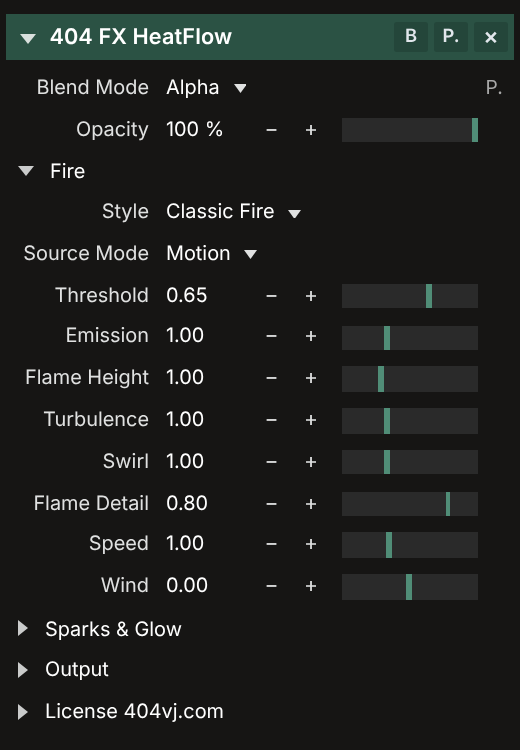
404 FX HeatFlow turns movement in your video into a real fluid-simulated fire inside Resolume. Dancers, waving hands or bright areas catch fire; flames rise, swirl with the wind, throw sparks and leave smoke.
Keep the background, turn it black & white so the fire pops, darken it, or make it transparent for layering. 12 styles from classic fire, white-hot and blue gas to toxic green, purple magic, rainbow and plasma.
$15
One key for 1 computer. Switching computers: release the key on the old one (in the software or on your Account page), then enter it on the new one. One Gmail can buy several keys for several computers. Updates are free: download them with the Gmail you bought the key with.
Features
- True fluid-simulated fire driven by motion, bright areas or keyed outlines
- 12 fire styles, sparks with gravity, smoke and heat haze distortion
- Background: original, black & white, darken, transparent, black
- Burst button for drops, Clear Fire to put it out
- Runs entirely on the GPU with capped working sizes, so huge comps (8K, 16000×6000) stay smooth
- The Demo has every feature, with a TRIAL watermark on the picture
System requirements
- Resolume Arena or Avenue 7.0.3 or newer (every 7.x)
- macOS 10.13+ (Intel) / macOS 11+ (Apple Silicon), or Windows 10/11 64-bit
- Graphics card with OpenGL 4.1
- Full edition: Internet to activate a key or Out Key; works offline up to 14 days, renews itself when online
Latest version
Version 1.0.0 for Windows and macOS, released 03/11/2026.
Go to downloadsTutorials 01
Installing, activating your key and using 404 FX HeatFlow
Version history
-
v1.0.0Latest03/11/2026 · Windows, macOS
- 404 FX HeatFlow 1.0.0 – first release.
- • macOS (Apple Silicon + Intel): unzip, double-click "Install 404 FX HeatFlow.command" (first time: right-click → Open → Open; if blocked: System Settings → Privacy & Security → Open Anyway).
- • Windows 10/11 64-bit: run the Setup.exe (if SmartScreen warns: More info → Run anyway).
- • Restart Resolume → Effects → "404 FX HeatFlow".
- • Activate: in the "License 404vj.com" group enter the Gmail you bought with + your Key, then press Activate. One key = one computer; to move it, press Out Key twice within 5 s, then activate on the new computer.