404BPMNew
Listens to the song, finds the beat and the accents, and presses Resolume / 404TimeCode right on them
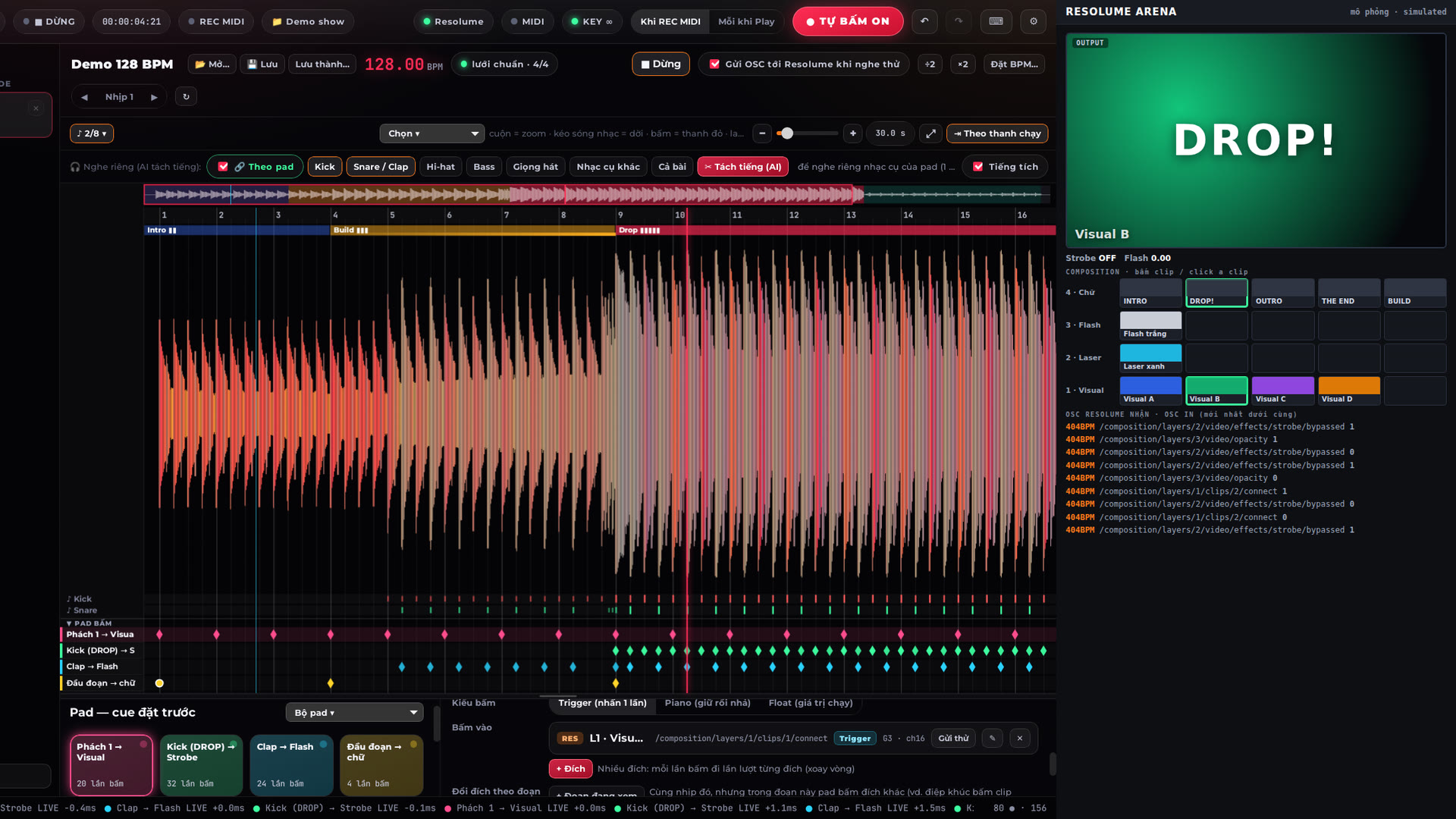
404BPM listens to the songs on your 404TimeCode timeline and finds the BPM, beats, bars, the intro / build / drop / break sections and every kick, snare, clap, hi-hat, bass and vocal, then presses exactly there: Resolume clips, columns, effects and parameters, 404TimeCode cues, OSC or MIDI keys.
Press Listen and Resolume plays along like in the show. Turn on REC in 404TimeCode and every press is recorded as a frame-accurate cue: the show plays back the same, no firing by hand.
One pad per rhythm layer (16 pads); each pad presses Trigger, Piano (held) or Float (a running fader) the way Resolume takes it. The AI stem split (kick / snare / hi-hat / bass / vocals / other) runs on your computer, no Internet needed.
Licensing works like Resolume: buy a key on 404vj.com with your Gmail; one key runs on one computer — to move it, press “Sign out” on the old computer and enter the key on the new one. One Gmail can buy several keys for several computers. The free TRIAL has every feature with TRIAL on the screen; it cannot save and presses Resolume for 15 minutes each time it is opened — buy a key, enter your Gmail + key and it unlocks right away.
$100
One key for 1 computer. Switching computers: release the key on the old one (in the software or on your Account page), then enter it on the new one. One Gmail can buy several keys for several computers. Updates are free: download them with the Gmail you bought the key with.
Gallery 01
Features
- Song analysis: BPM, beats, bars, intro / build / drop / break, kick, snare, clap, hi-hat, bass, vocals, off-beats, build-ups, cuts, fills
- 16 pads by rhythm layer pressing on the beat: Resolume clips, columns, effects and parameters, 404TimeCode cues, OSC, MIDI keys
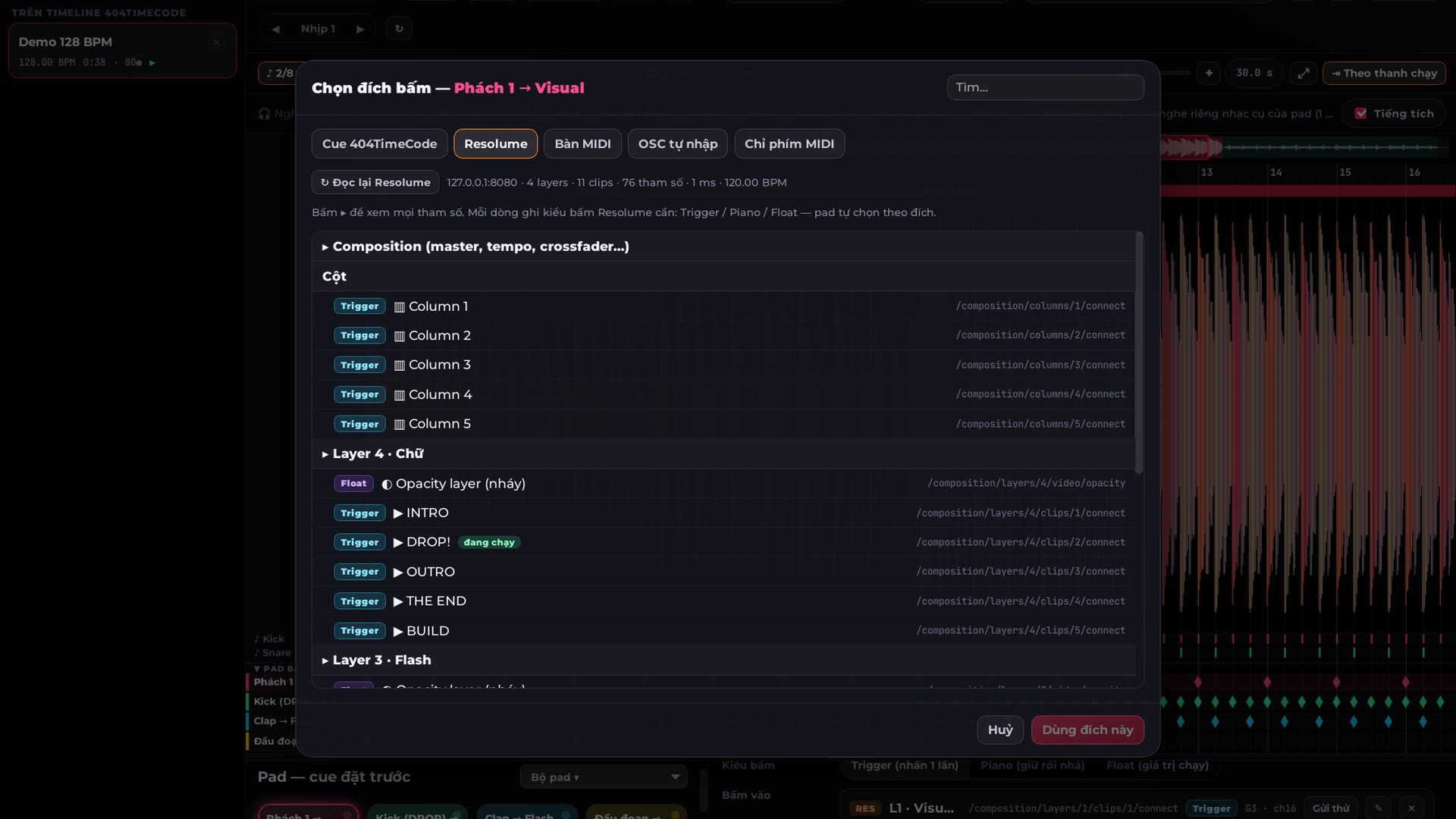
- Reads your Resolume composition exactly through its webserver: types, ranges, options, each clip's Trigger Style
- Presses the right way: Trigger / Piano / Float; Listen = REC into 404TimeCode = playback
- On-device AI stem split (Demucs v4): solo kick, snare, hi-hat, bass, vocals
- Edit every press, split accents by strength / beat position, shortcuts, undo
- Locks Resolume's BPM to the song with a beat-1 resync; latency compensation for LED screens
- Check Resolume A–Z: presses every OSC address of the composition and reads it back
- Gmail key like Resolume: 1 key = 1 computer, “Sign out” to move it; free TRIAL (TRIAL on the screen), a key unlocks it
System requirements
- macOS 11 or later (Apple Silicon: M1 or later) or Windows 10/11 64-bit
- 404TimeCode 2.5.6 on the same computer (links by itself)
- Resolume Arena / Avenue 7 with OSC Input and Webserver on
- 8 GB RAM or more (AI stem split)
- Internet to activate the key; then it runs offline (online at least once every 14 days)
Latest version
Version 1.6.1 for macOS and Windows, released 25/10/2026.
Go to downloadsVersion history
Go to downloads-
v1.6.1Latest25/10/2026 · macOS, Windows
- Bản chính 404BPM 1.6.1 — cần key 404BPM mua trên 404vj.com (key riêng, khác key 404TimeCode): key theo Gmail, 1 key = 1 máy (bấm “Thoát key” ở máy cũ để chuyển sang máy khác), 1 Gmail mua được nhiều key. Chưa mua thì tải bản dùng thử (TRIAL). Cần 404TimeCode 2.5.6 trên cùng máy.
- Mới trong 1.6.1:
- • Kích hoạt bằng Gmail + key của 404vj.com; chạy không cần mạng tới 14 ngày. Key cũ (404BPM-… / Google Sheet) không dùng được nữa.
- • Kiểm tra Resolume A–Z: bấm thử mọi địa chỉ OSC của composition rồi đọc lại từ Resolume.
- • Fader bị pad Trigger / Piano bấm: chạy xong về lại đúng chỗ cũ. Speed theo đúng đường cong của Resolume (1× là 1×).
- • Gửi đúng cổng OSC Input và web server của Resolume cùng máy.
- • Cửa sổ co giãn đúng ở mọi cỡ; nút xoá bài nhạc; phím ↑ / ↓ chuyển bài.
- • Bài, pad, điểm bấm, file .404bpm giữ nguyên như 1.6.0.
- Yêu cầu: macOS 11+ trên Mac Apple Silicon (M1 trở lên — bản macOS không chạy trên Mac Intel) hoặc Windows 10/11 64-bit, RAM 8 GB+. Mac: lần đầu mở bấm chuột phải ▸ Open.