404LinkNew
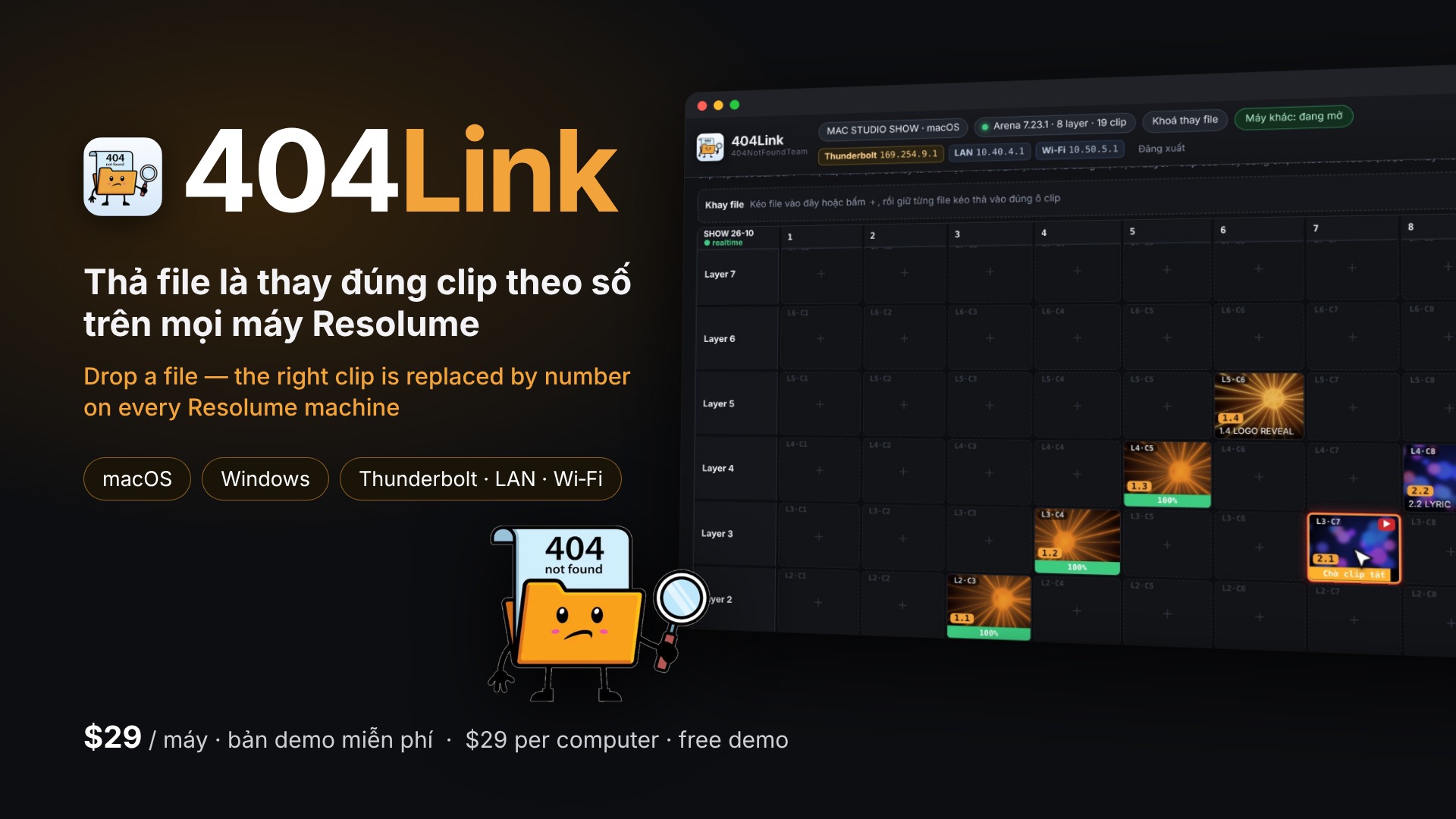
Link your Resolume machines over Wi‑Fi / LAN / Thunderbolt — drop a file, the right clip is replaced by number on every machine
404Link is a desktop app (macOS + Windows) that links the computers running Resolume Arena / Avenue on one network — Wi‑Fi, LAN or Thunderbolt Bridge — finding each other with no IP setup. Drop a new clip file (e.g. “30.1 GAUZE_v2.mov”) into 404Link on any machine: the file is copied to every machine, checked with SHA‑256, and the clip numbered 30.1 is replaced in each machine's Resolume — opacity, effects, blend and clip name kept.
Built for real shows: waits until a playing clip stops before swapping it, prefers DXV, asks first when the codec or resolution differs, puts the old file back at once if Resolume cannot open the new one, undoes one slot or a whole send, and locks replacing during the show. Messages only appear in the 404Link window — never on the LED / output.
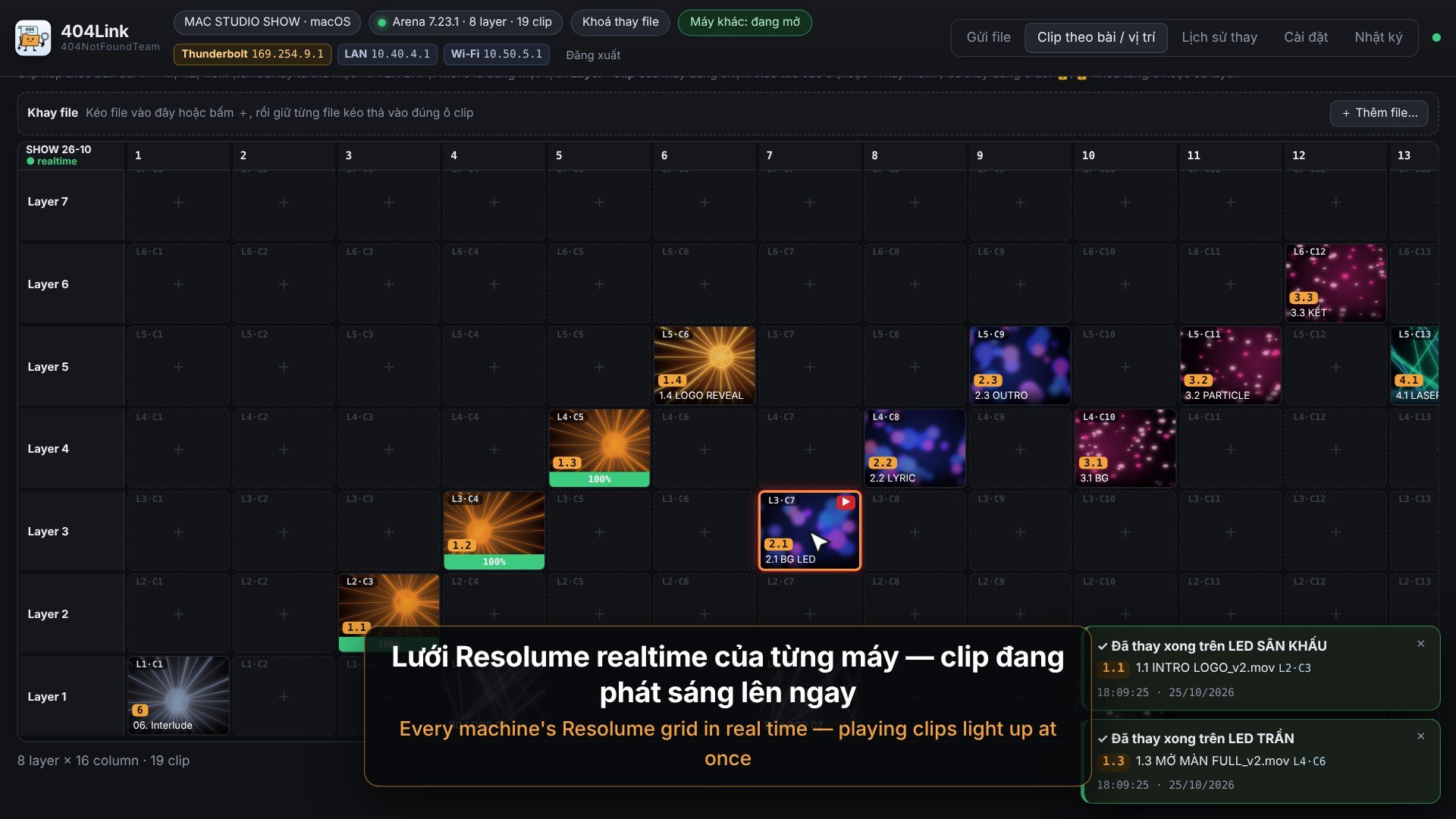
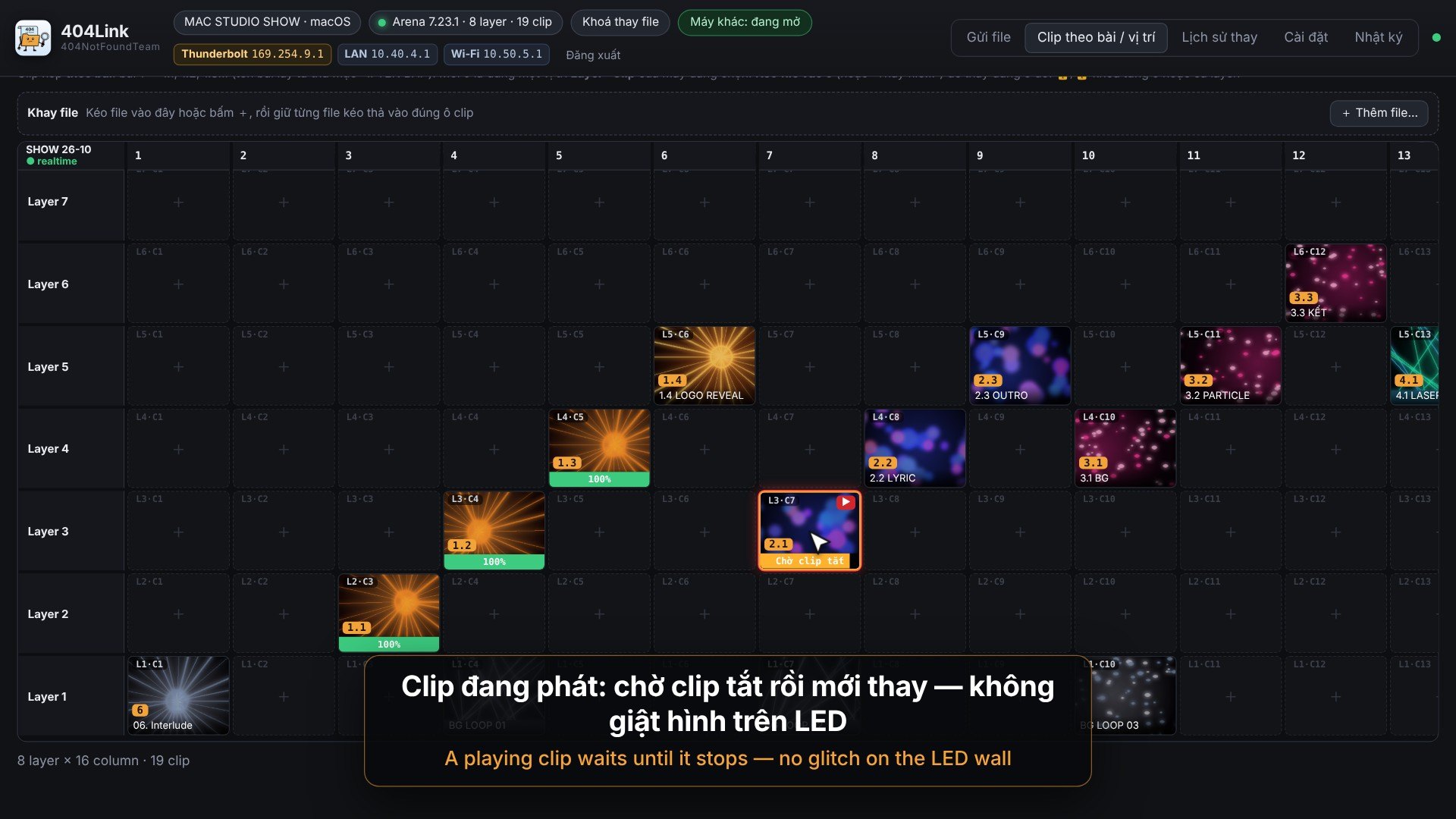
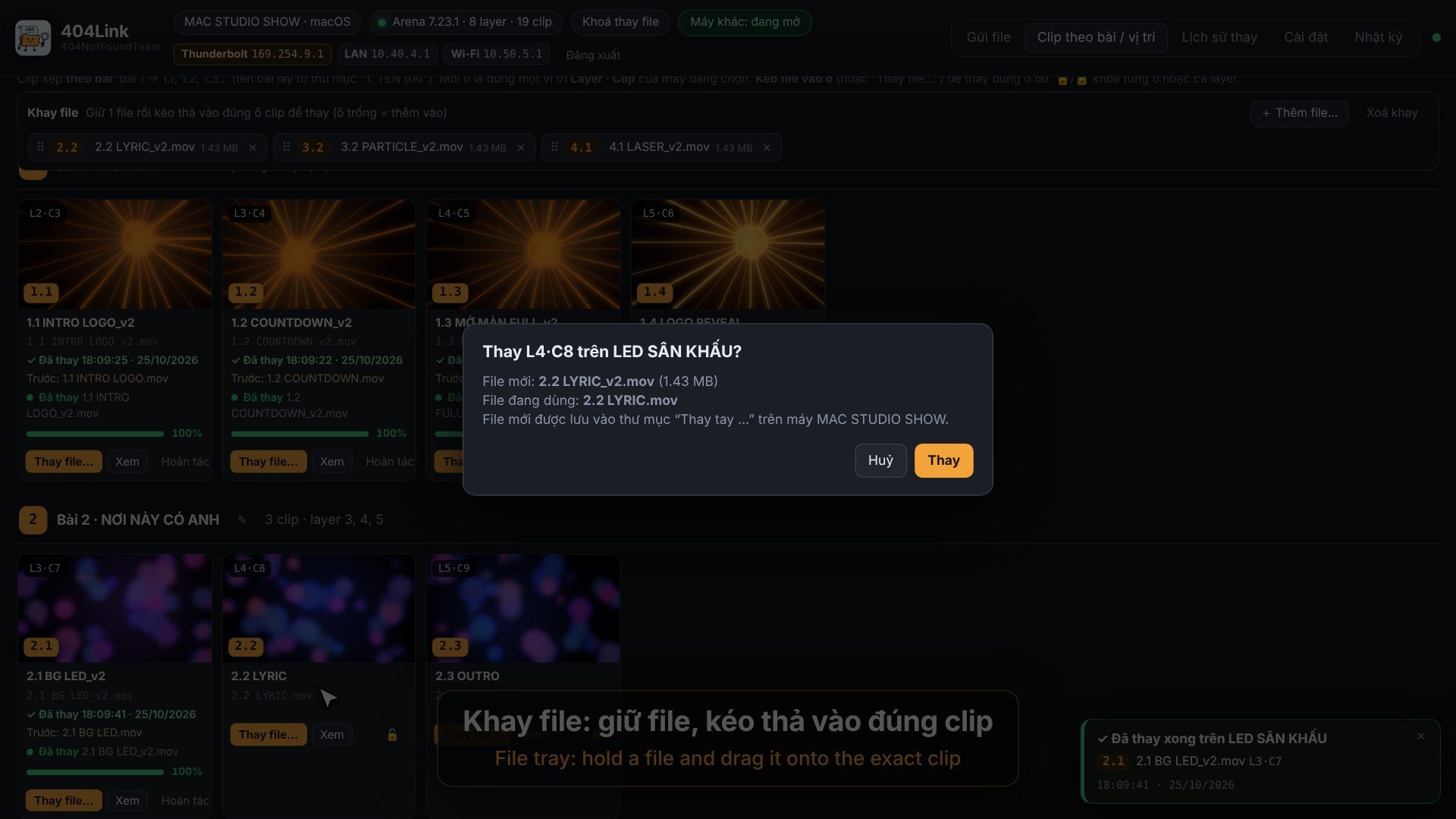
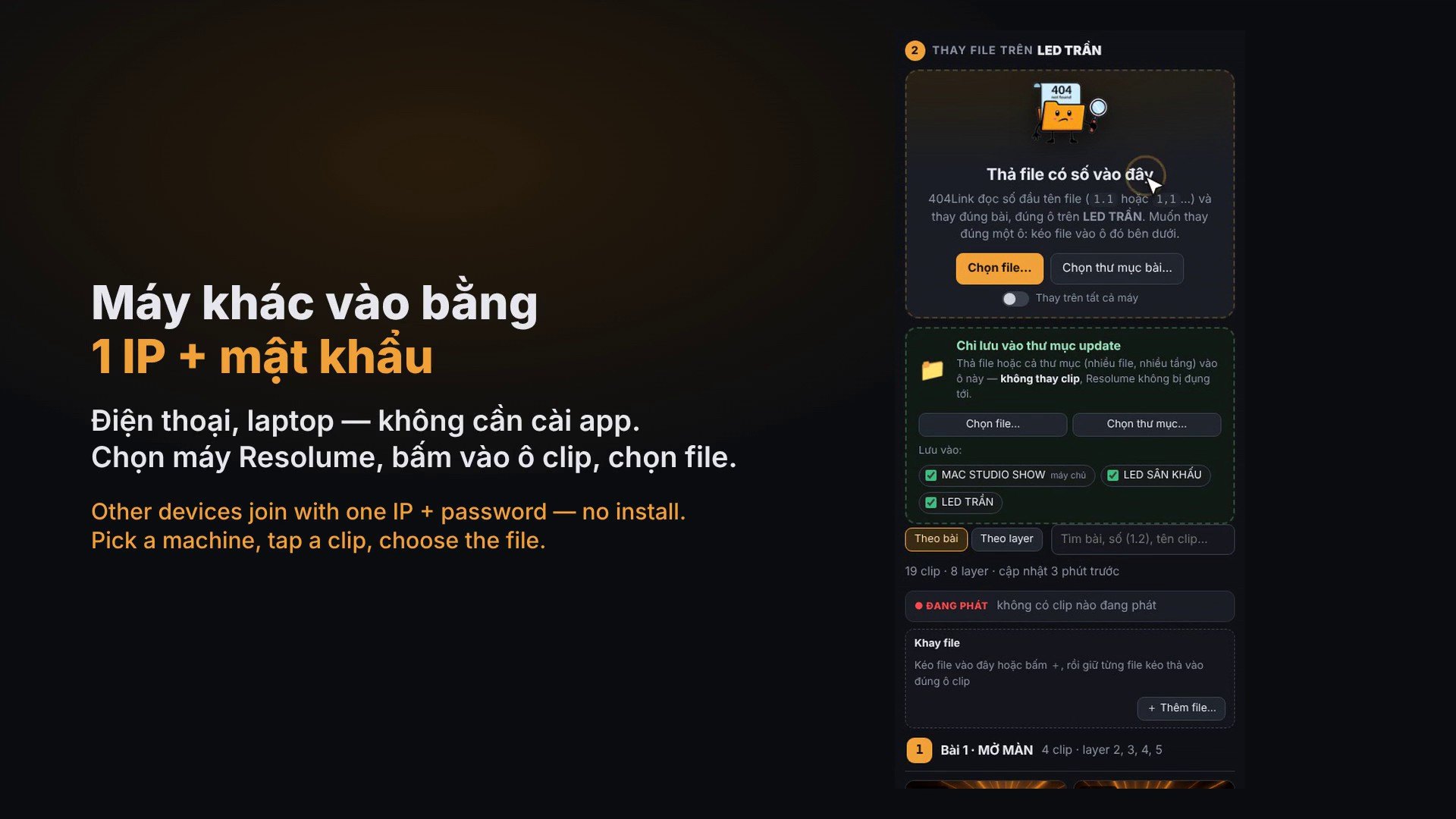
See each machine's Resolume grid in real time (layers × columns, playing clips), drop a file onto an exact slot, or hold files in a tray and drag them onto clips, even on a phone. Other devices join with one IP + password (no install); a machine that only runs Resolume, without 404Link, still gets its files replaced. Copy whole folders into every machine's update folder; multi‑GB files are relayed between LAN machines so each one gets full speed.
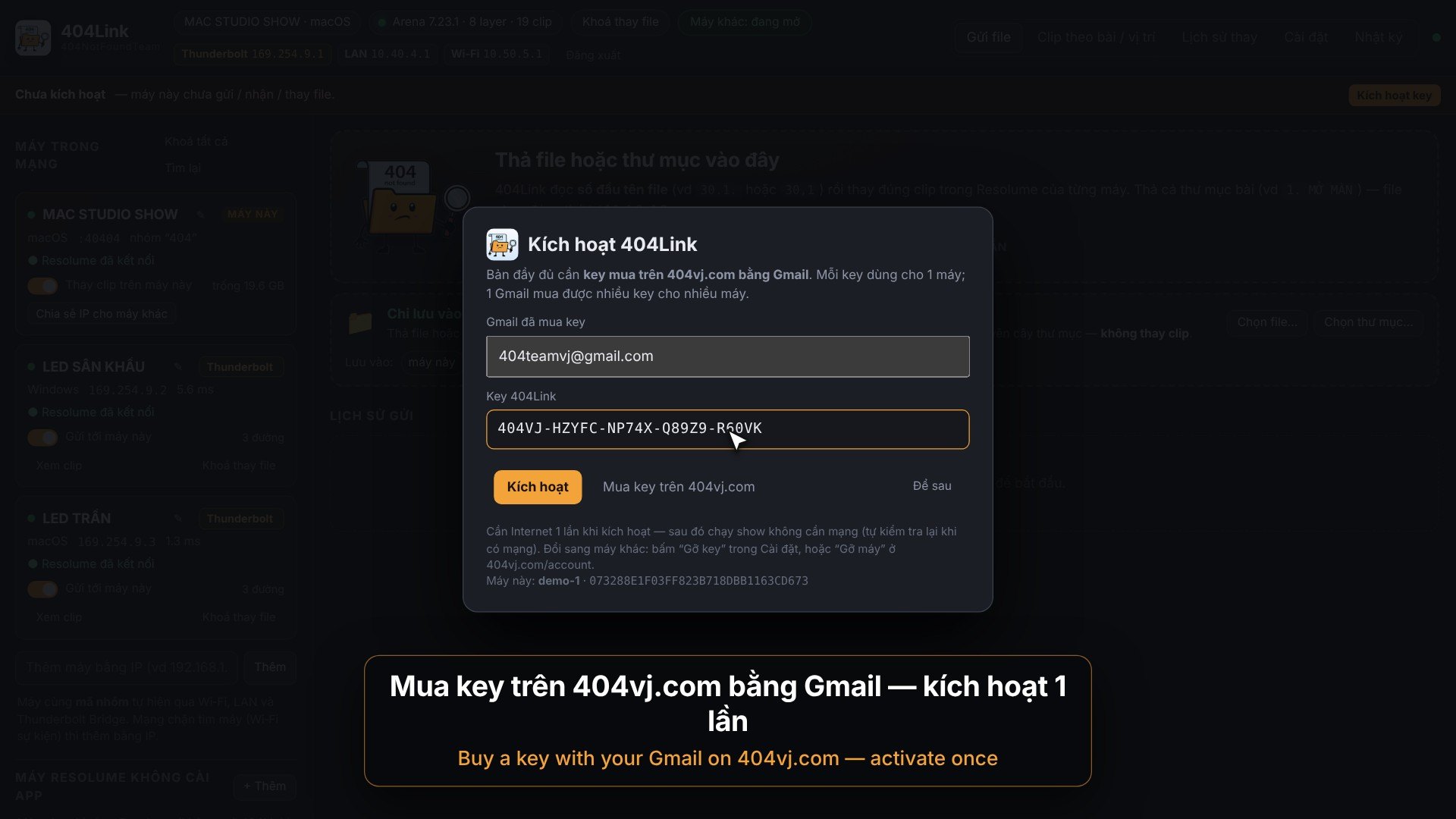
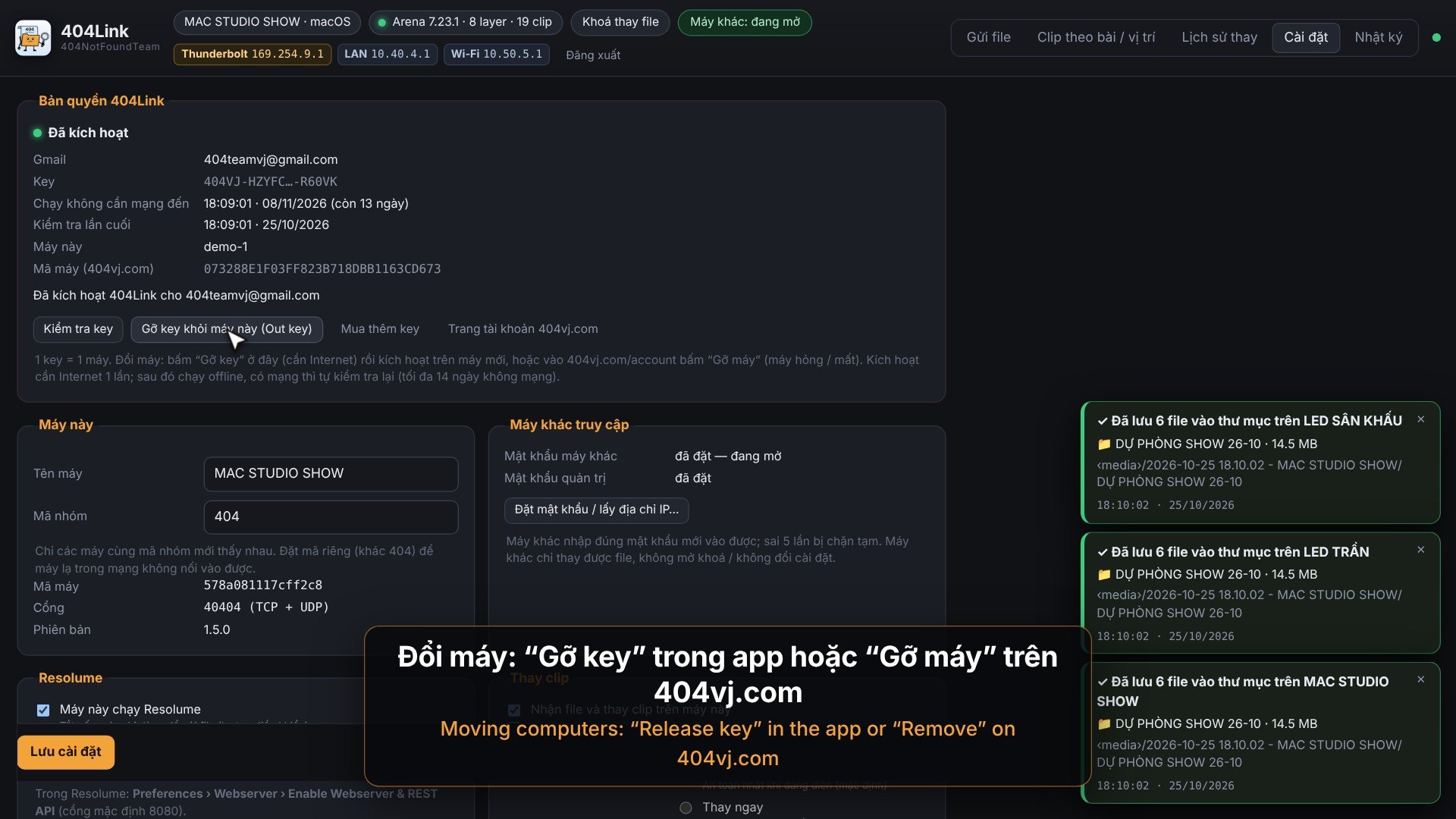
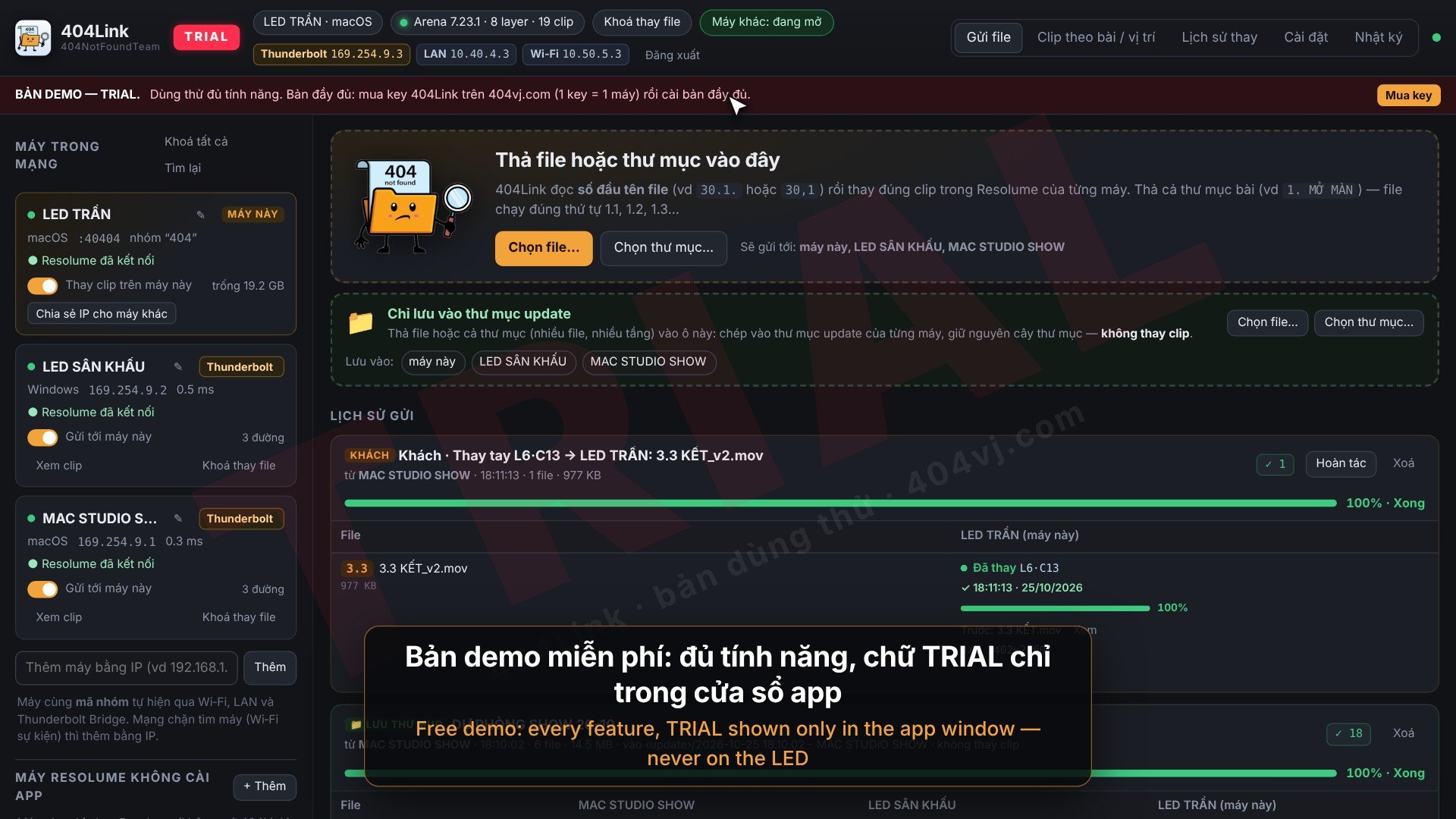
Buy a key on 404vj.com with your Gmail. Each key runs on 1 computer: activate online once, then it runs offline (checking again when online). Moving computers: “Release key” in the app or “Remove” on your Account page. One Gmail can buy several keys for a whole rig. The free demo has every feature; clips it replaces and files it copies get a TRIAL mark printed into the picture.
$29
One key for 1 computer. Switching computers: release the key on the old one (in the software or on your Account page), then enter it on the new one. One Gmail can buy several keys for several computers. Updates are free: download them with the Gmail you bought the key with.
Gallery 10
Features
- Drop files or whole song folders → the right clip is replaced by the file's leading number (30.1, 1,2 …) on every machine, in song order
- Matches the clip name shown in Resolume; one file in several slots or renamed clips → one send replaces them all
- Finds machines over Wi‑Fi, LAN and Thunderbolt Bridge; pull a cable and it carries on over another link without starting over
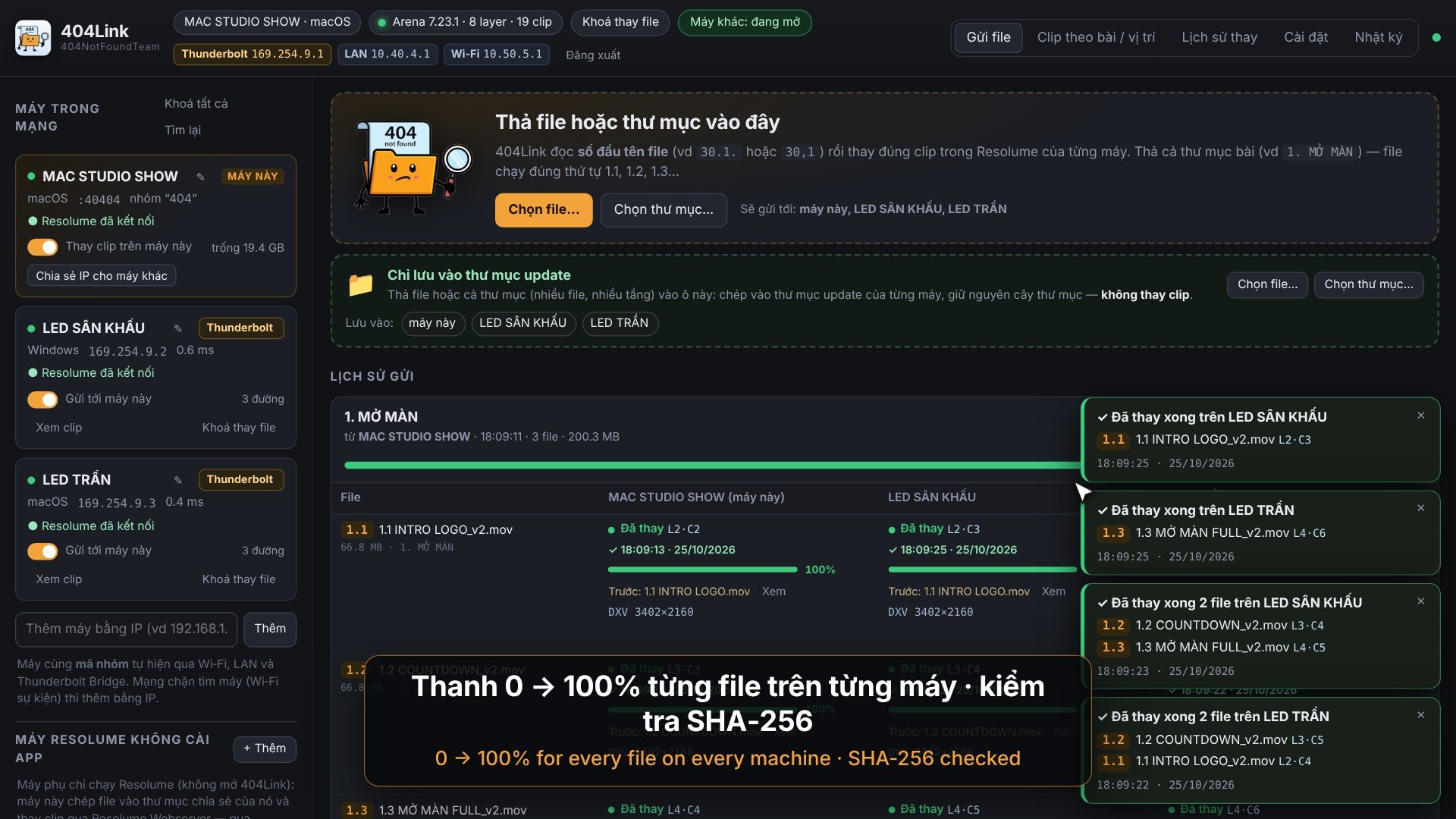
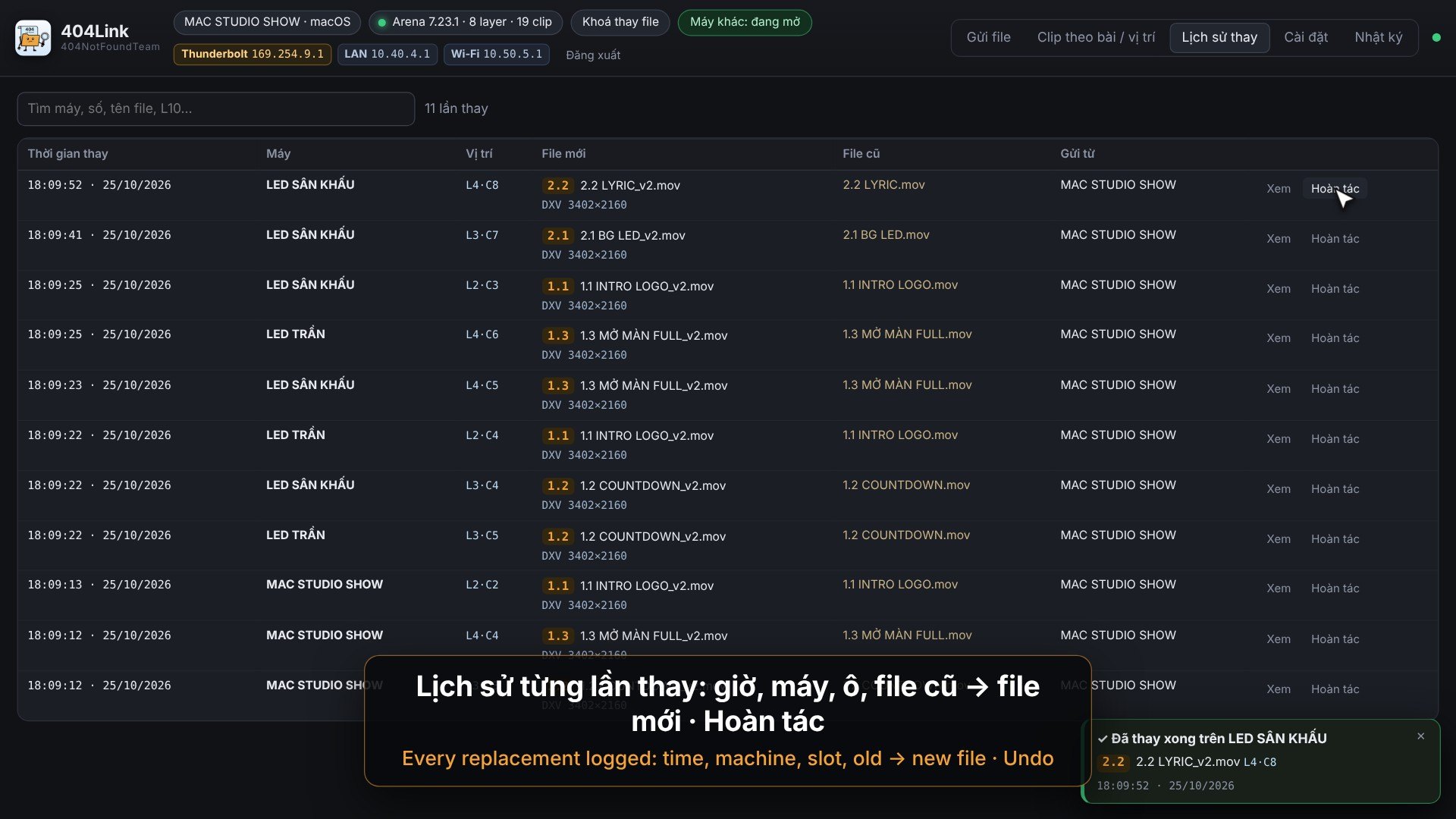
- 0–100% bar for each file on each machine; replacement history with time, old / new file, Undo
- Show‑safe: waits for playing clips, prefers DXV, asks on a different codec / resolution, restores the old file on error, locks replacing
- Live Resolume grid (layers × columns, playing clips) of every machine; drop a file onto an exact slot or an empty one
- File tray: hold a file and drag it onto each clip — on a computer or a phone
- Other devices join with one IP + password, no install (they can only replace files)
- A machine that only runs Resolume, without 404Link, still gets its files replaced through a shared folder
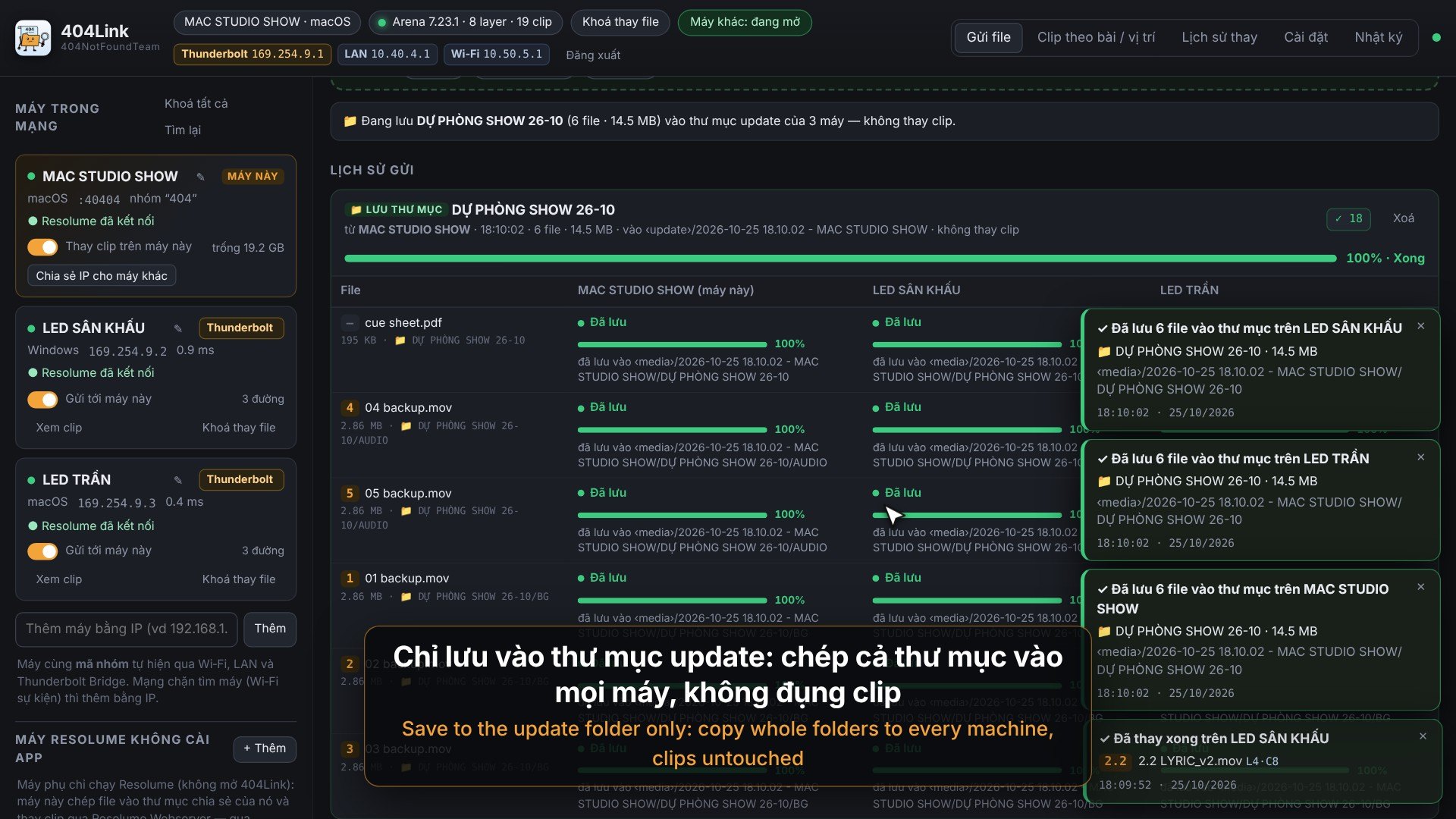
- “Save to update folder only”: copy files / whole folders to every machine, tree kept, Resolume untouched
- Multi‑GB files: LAN relay between machines, SHA‑256 on every file, speed limit so the playback drive never chokes
- Nothing ever appears on the LED / output; never saves your composition
System requirements
- macOS 11 or later (Apple Silicon or Intel) or Windows 10 / 11 64-bit
- Resolume Arena / Avenue 7.8 or later, with Preferences › Webserver › Enable Webserver & REST API on
- The machines on one Wi‑Fi, LAN or Thunderbolt Bridge network (port 40404 TCP + UDP)
- Each machine running the full 404Link needs 1 key; devices joining by IP and Resolume‑only machines need none
- Internet to activate the key; then it runs offline and checks again when online (at most 14 days offline)
Latest version
Version 1.5.0 for Windows and macOS, released 25/10/2026.
Go to downloadsVersion history
Go to downloads-
v1.5.0Latest25/10/2026 · Windows, macOS
- Bản đầu tiên trên 404vj.com.
- Kích hoạt bằng Gmail + key mua trên 404vj.com: 1 key chạy trên 1 máy, kích hoạt online 1 lần rồi chạy show không cần mạng.
- Đổi máy: bấm “Gỡ key” trong Cài đặt (hoặc “Gỡ máy” ở trang Tài khoản) rồi nhập key ở máy mới.
- Thả file / thư mục bài → thay đúng clip theo số trên mọi máy, thanh 0–100% và SHA‑256 từng file.
- Lưới Resolume realtime (ô đang phát hiện “Chờ clip tắt”), khay file kéo‑thả, lịch sử + Hoàn tác, khoá thay file khi diễn.
- “Chỉ lưu vào thư mục update”: chép file / cả thư mục vào mọi máy, không thay clip; file nhiều GB chuyển tiếp LAN giữa các máy.
- Máy khác vào bằng IP + mật khẩu; máy chỉ chạy Resolume (không cài 404Link) vẫn được thay file.
- macOS: mở file .pkg → Continue → Install (nếu bị chặn: System Settings › Privacy & Security › Open Anyway). Windows: chạy Setup.exe (nếu SmartScreen hỏi: More info › Run anyway).
- First release on 404vj.com: activate with your Gmail + key (1 key = 1 computer, runs offline after activation); “Release key” to move computers; drop files / song folders to replace clips by number on every machine; live Resolume grid, file tray, history + Undo; copy folders to every machine's update folder; other devices join by IP + password.
- macOS: open the .pkg → Continue → Install (if blocked: System Settings › Privacy & Security › Open Anyway). Windows: run Setup.exe (if SmartScreen asks: More info › Run anyway).